KLIK / 003 / coding agents
Best Vibe Coding Tools & Workflows: From Questions to Tested Code
A field-tested comparison of the best vibe coding tools—Grill Me, Superpowers Brainstorming, Mobbin MCP, Ponytail, and Context7—with practical workflow stages, a comparison matrix, and real production limitations.
 Hamza Elmakhfi

Evaluating the best vibe coding tools is not about installing every viral skill or letting an agent write unconstrained boilerplate. You give an agent a simple idea, and it returns plenty of code—yet solves a different problem entirely. Another prompt adds a page and more settings, while the intended user remains unclear. The model may not be the main issue. Requirements, references, implementation rules and documentation have been squeezed into one vague request.
These five tools are not a bundle everyone needs to install. Each helps at a different decision point. We will use a small personal expense notebook: record an expense, see totals and export data. This is not a production financial product. The aim is to know why a tool belongs in the workflow before granting permissions or paying for another service.
Define a working result first
Write the user, essential task and exclusions in a few lines: “I want to enter expenses from my phone, retain them after refresh and export them. No shared accounts or bank connections yet.” That reduces the chance of getting subscriptions and authentication before the first expense works.
Use an appropriate repository or branch and protect existing data. Agents can propose commands and modify files. Review their permissions, especially around a working service. Installing a skill does not guarantee every subsequent action is appropriate.
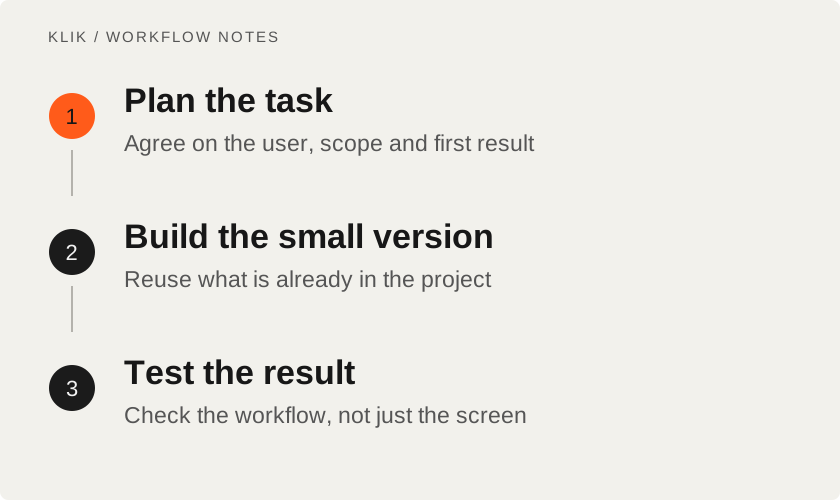
Comparison Matrix: Finding the best vibe coding tools for each stage
Rather than bundling every skill together into every session, match each tool to its actual operational bottleneck:
| Tool / Skill | Core Focus | Ideal Decision Point | Real-World Limitation |
|---|---|---|---|
Grill Me (grilling) | Requirements extraction | Early brief & idea shaping | Adds unnecessary latency to trivial 1-line bug fixes |
| Superpowers Brainstorming | Architecture consensus | Choosing stack, data model & state | Requires reading local codebase before planning |
| Mobbin MCP | UX interaction patterns | Designing task flows & empty states | Requires visual judgment; never copy proprietary assets |
| Ponytail | Minimal diff enforcement | Scoped implementation & testing | Not a magic debugger; requires clear test boundaries |
| Context7 MCP | Version-pinned API docs | Integrating 3rd-party libraries | Relies on exact package version; cannot verify runtime edge cases |
1. Grill Me: expose decisions hidden in the idea
Grill Me in Matt Pocock's skills collection points to the Grilling workflow. The current grill-me entry is an alias for grilling, so names and entry points may differ from an older video. The purpose is to work through the idea and its dependent decisions until requirements are understood.
For the expense notebook, ask for help deciding what the first version needs and what would demonstrate its value. That is more useful than requesting a SaaS application. Resolve whether it needs multiple currencies, cross-device storage or export immediately. Not every answer needs to become a feature.
Skip an extended interview for a clear label correction or known bug. Use this approach when uncertainty changes the solution. You should leave with a brief that describes what you meant and says what can wait.
2. Superpowers Brainstorming: turn intent into a buildable decision
Superpowers includes a Brainstorming skill for agreeing on what to build and choosing a design that fits the job. Current guidance emphasizes reading existing context and reaching agreement before implementation. It is an agent workflow, not a UI library added to your application.
Compare browser storage with a small backend for the example. Ask for a recommendation based on actual needs rather than a fashionable stack. Local storage has an obvious limit if you frequently switch devices. A new backend may be unnecessary for an initial personal experiment.
Follow the official repository's installation instructions for your client and inspect added skills or hooks. If an older version is installed, check the update instructions before adding another copy. Agreement on a design is not blanket permission to revise areas already approved.
3. Mobbin MCP: research a task flow
Mobbin provides UI and UX references from real products. Its official MCP server is hosted, uses Streamable HTTP and authenticates through OAuth. The published setup does not require cloning and running a local server. Configuration details depend on the MCP client.
Register the official endpoint through the client guide, sign in and ask for references relevant to a task: quickly entering an expense, correcting a number or showing an empty list. Compare steps and clarity, then explain why a pattern fits. A beautiful screenshot alone does not prove that a user can finish the task.
Do not copy another application's branding, wording or protected assets. Learn from hierarchy and interaction principles, then apply your own identity. Library access and features depend on the current account and plan; MCP availability does not mean all content is free. Skip it when the existing design already answers the problem.
4. Ponytail: finish the small correct change
Ponytail gives an agent rules for preferring the smallest complete solution and checking existing code before adding libraries or abstractions. If the expense notebook already has an input component and needs a simple date, a custom calendar may be unnecessary. Simplicity still includes validation and a way to retrieve your data.
Use DietrichGebert/ponytail and the official installation path for your agent. The project explicitly warns about copies distributing EXE or DLL files under its name. Review rules and permissions before trusting hooks. The project's MIT license does not cover your model provider's charges.
A useful implementation request is specific: change only expense persistence, reuse existing components and add a check that fails if data disappears after refresh. That ties a small diff to an observable outcome. Short code that loses records is not a successful shortcut.
5. Context7: retrieve documentation at the decision point
Context7 supplies library documentation and examples through CLI with skills or through MCP. The current README gives this setup command and requires Node.js 22.13 or newer for the CLI:
npx ctx7 setupSetup uses OAuth and offers supported integration choices. Follow your client's guide and keep API keys out of version control. The usual MCP flow identifies the library first, then asks a focused documentation question. “Fetch the docs” is much less useful than a question about a particular API in the installed version.
Tell the agent the version in package.json. Documentation reduces guessing; it does not prove a new integration works. Check current plan and rate limits, and exclude secrets from queries. Network access is needed, and libraries with limited coverage may require direct official documentation.
Combine them without spending the day configuring tools
Begin with a real uncertainty. Use Grill Me when intent is unclear, Brainstorming for a design decision, Mobbin for a missing interaction reference, Ponytail rules during a scoped implementation and Context7 when current library syntax matters. A small change does not need all five steps.
Test a single expense from input through persistence and export. Check missing and invalid amounts. Judge the result against the brief as well as the interface. These tools depend on agents, services and client support; they are not universally free or identical across systems.
Bridging the gap from vibe coding to production
Vibe coding is exceptional for personal experiments, rapid prototyping, and workflow validation. But when an experimental prototype proves its commercial value and needs to scale into a secure, multi-tenant platform, agent shortcuts must yield to rigorous software engineering. That is where disciplined custom web application development takes over—incorporating clean TypeScript types, automated testing, responsive layout discipline, and fast static builds.
We applied this exact separation when engineering our own studio utilities and digital products like TempDrop (ephemeral file delivery) and Link2Timeline (editorial XML sync).
Before sharing a usable build, always run through the pre-deployment checklist.
Keep reading
All KLIK guides
KLIK / 002REA · English
REA: investigate software with evidence, without promising source recovery
Set up Reverse Engineer Anything via MCP: choose an analysis provider and inspect permitted apps while understanding evidence and limits.

KLIK / 004deployment · English
Six checks before deploying your app: evidence, backups and a way back
Six practical release checks for small apps: critical paths, secrets, production builds, restore tests, and rollback planning.
KLIK / 008Paperclip · English
Paperclip: coordinate agents, tasks and budgets without the autonomous-profit claim
Start Paperclip locally with one agent, a narrow goal, approvals and budgets. Understand the coordinator, external runtimes, permissions and operating costs.